


Find materials
Bring books, handouts, past questions, uploads, and shared resources into one academic base.
Student operating system
AbS brings scattered academic life into one connected student operating system: Academic Library, Sabi Examiner, practice, organization, scholarships, and student content distribution for 12K+ users across platforms.
12K+
Users
18K+
Materials
300K+
Assessments
80+
School pathway
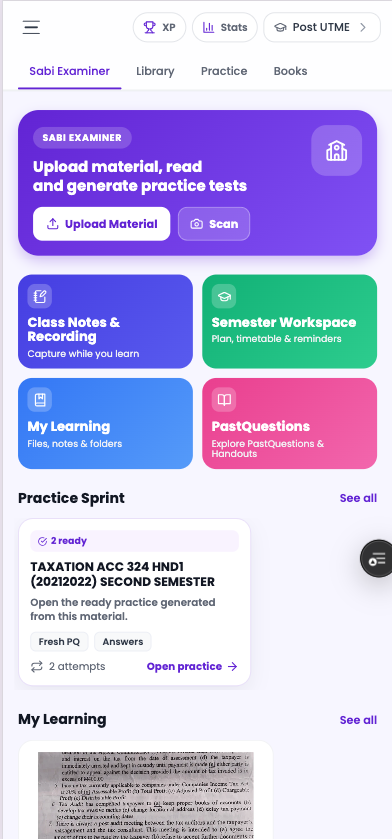
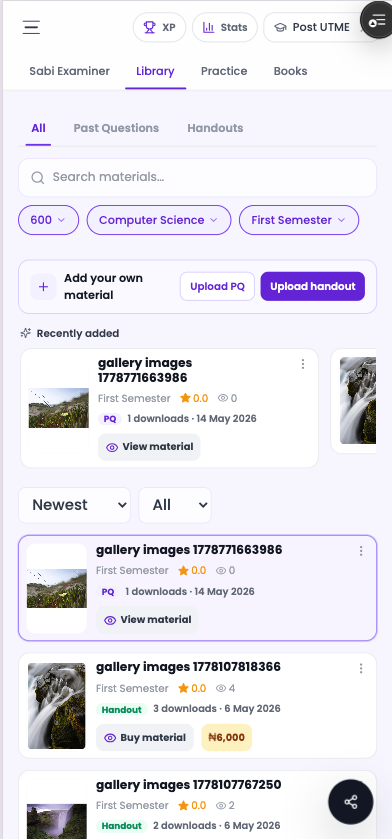

Bring books, handouts, past questions, uploads, and shared resources into one academic base.
Open a source in Sabi Examiner, ask grounded questions, and study inside a focused workspace.
Turn the same material into tests, CBT practice, worked answers, and revision outputs.
Keep notes, folders, timetables, opportunities, and academic progress connected.
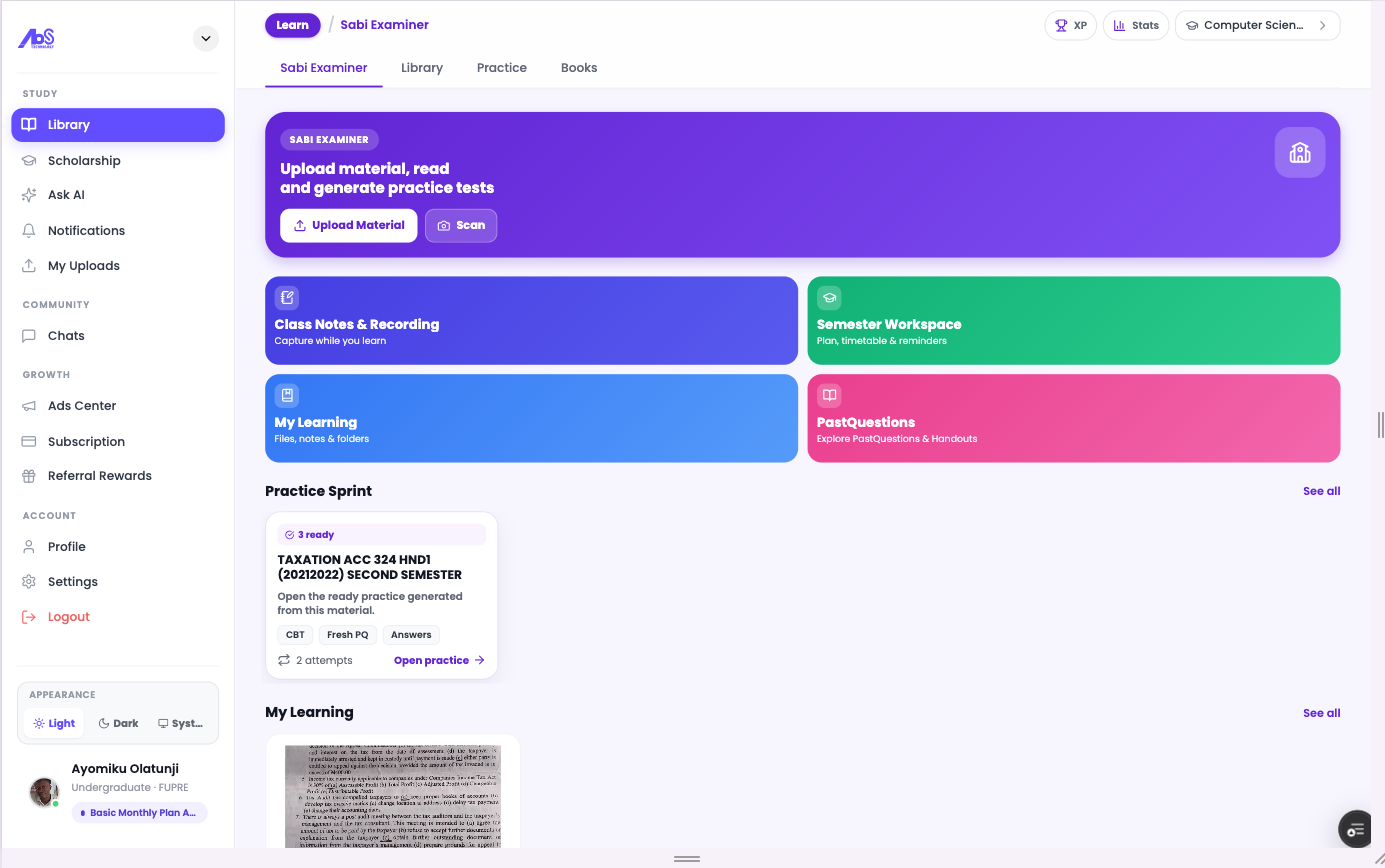
Desktop homepage
The desktop homepage brings Sabi Examiner, Academic Library, practice, books, opportunities, and account actions into one visible product surface for students, schools, and partners.
Clear product navigation across study, library, practice, and books
Desktop-first signal for partners, schools, and campus workflows
A single entry point for the full AbS learning platform
Product system
Students do not only need content. They need a connected workflow for finding material, reading intelligently, preparing from the source, organizing school life, and discovering opportunities.
Study engine
Secondary exam prep
Undergraduate workspace
Creator publishing
Opportunities
Study engine
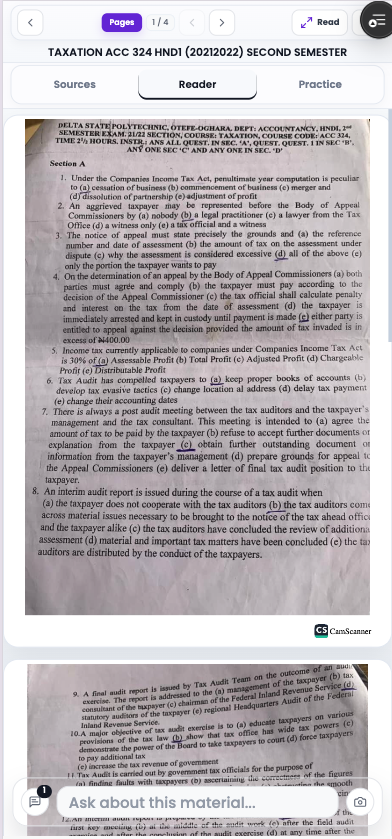
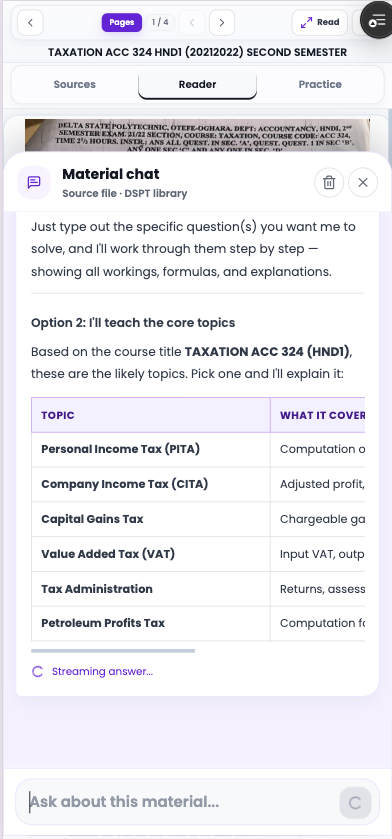
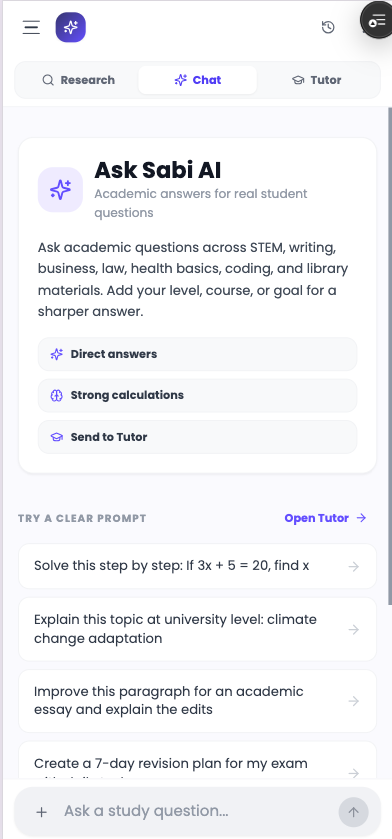
Students can open library files, uploads, notes, and past questions, then read, chat, generate practice, and keep outputs attached to the exact source.
Open materials from Academic Library, My Learning, notes, and uploads
Ask grounded questions from the current material
Generate practice, answers, flashcards, and study outputs
Secondary exam prep
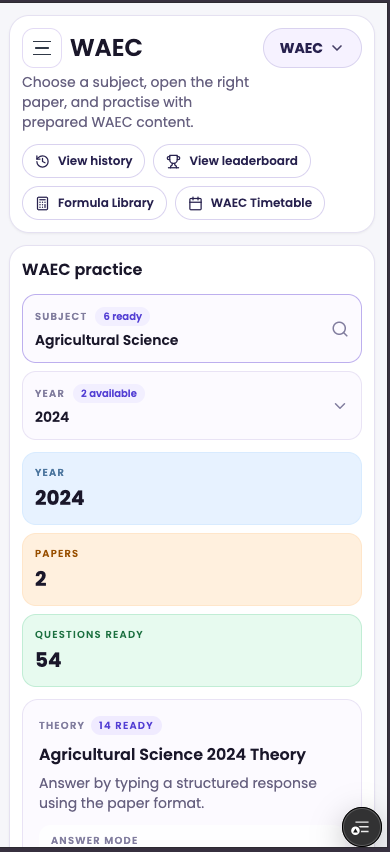
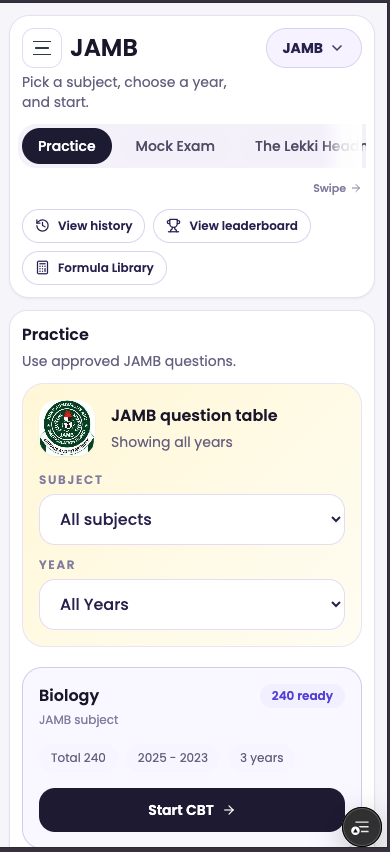
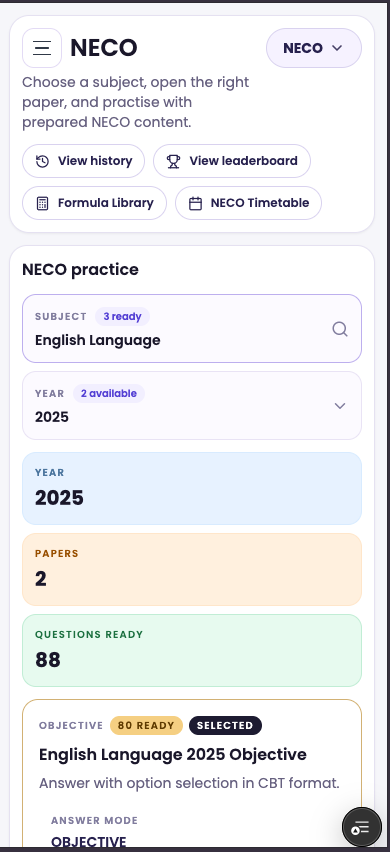
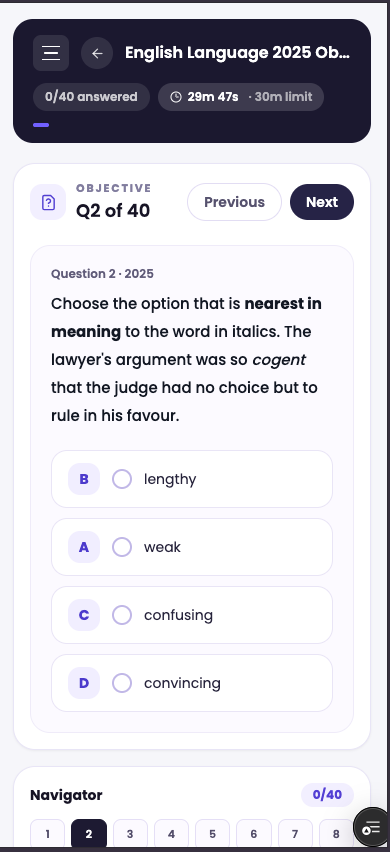
Secondary students can pick exam bodies, subjects, years, papers, and question modes, then move into timed CBT and review-ready practice.
Exam-body spaces for WAEC, JAMB, and NECO
Subject, year, paper, leaderboard, and formula-library flows
Timed CBT questions with navigation and progress tracking
Undergraduate workspace
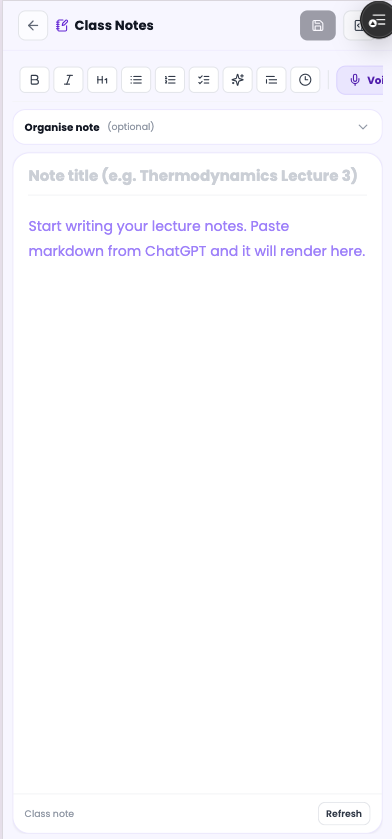
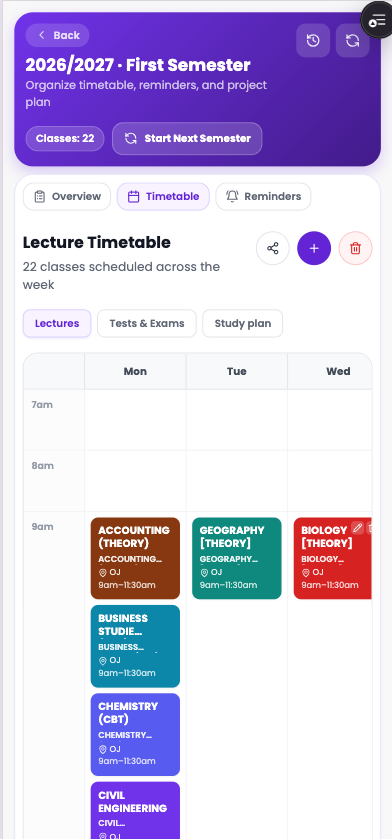
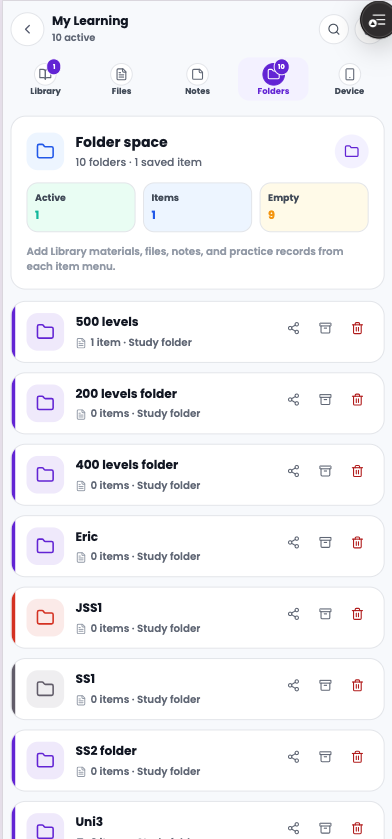
Undergraduates can save class resources, organize materials by level and semester, create notes, plan lectures, and return to what they are studying.
Books, handouts, past questions, uploads, and shared resources
My Learning folders for saved academic work
Class notes and timetable-aware semester organization
Creator publishing
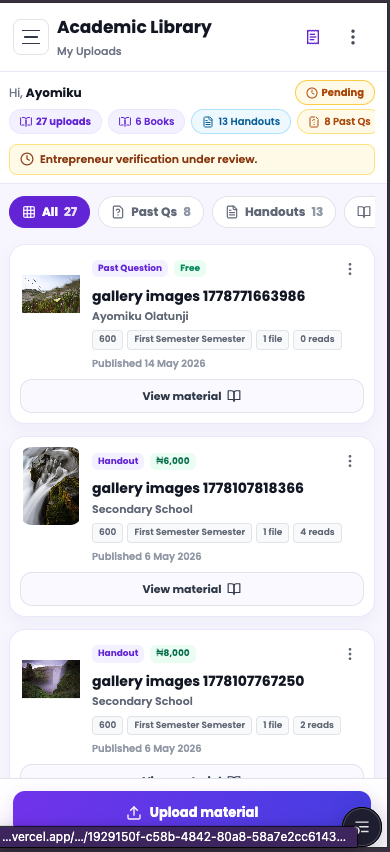
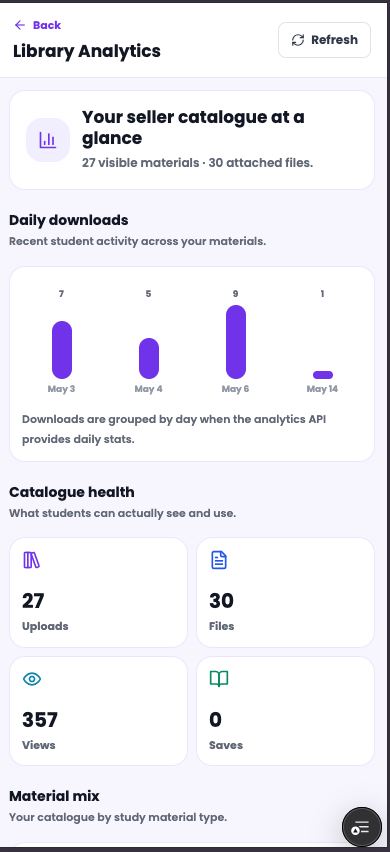
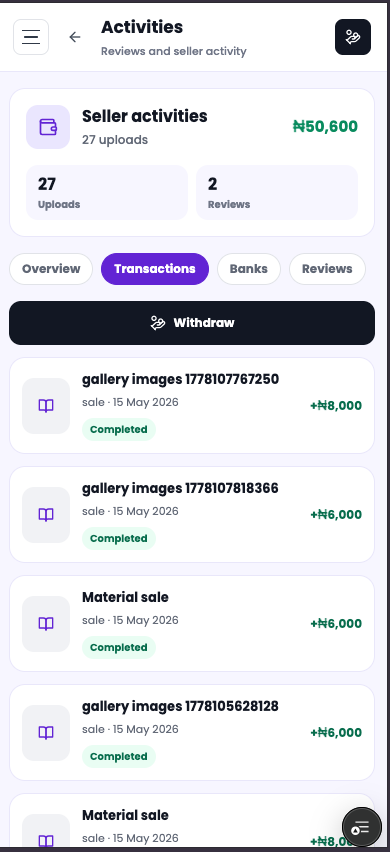
AbS Upload gives creators and student sellers a distribution layer for academic materials, with seller catalogues, material analytics, activity tracking, and earnings visibility.
Seller catalogue for public academic materials
Analytics for downloads, views, files, and material mix
Activity and earnings visibility for seller workflows
Opportunities
Sabi Scholar gives students a growth layer beyond coursework, with scholarship feeds, category filters, deadlines, saved opportunities, and community paths.
Scholarship and opportunity discovery for students
Filters for category, country, deadline, level, and field
Save, search, ask, and return to relevant opportunities
More inside AbS
AbS is not a single screen. The product stretches across learning, preparation, organization, opportunities, student content, creator publishing, and supply-side upload flows.
16
Connected surfaces
4
Core workflows
1
Student operating system
Learning and preparation
Academic organization
Opportunities and growth
Publishing and student content
Academic Library
Sabi Examiner
AI Tutor
Studio Reader
CBT Practice
Worked Answers
Books
My Learning
Class Notes
Semester Timetable
Sabi Scholar
AbS Upload
Secondary Learning
Quill and Blog
Creator Publishing
Student Content
Who AbS serves
AbS supports secondary, undergraduate, and professional learners, with school and campus workflows built around materials, practice, organization, opportunities, and academic content distribution.
Secondary schools
Universities
Polytechnics
Professional programs
Download AbS and move from scattered materials to a connected study workflow.